
SubbyMeasure — Remote job measuring
Measure the job without driving to the job.
Send your customer a secure SubbyMeasure link and let them capture the measurements, photos, video and job details you need to start preparing their quote. Less driving. Less wasted time. Faster quoting.
Built for UK trades · No customer app required · Works from their phone
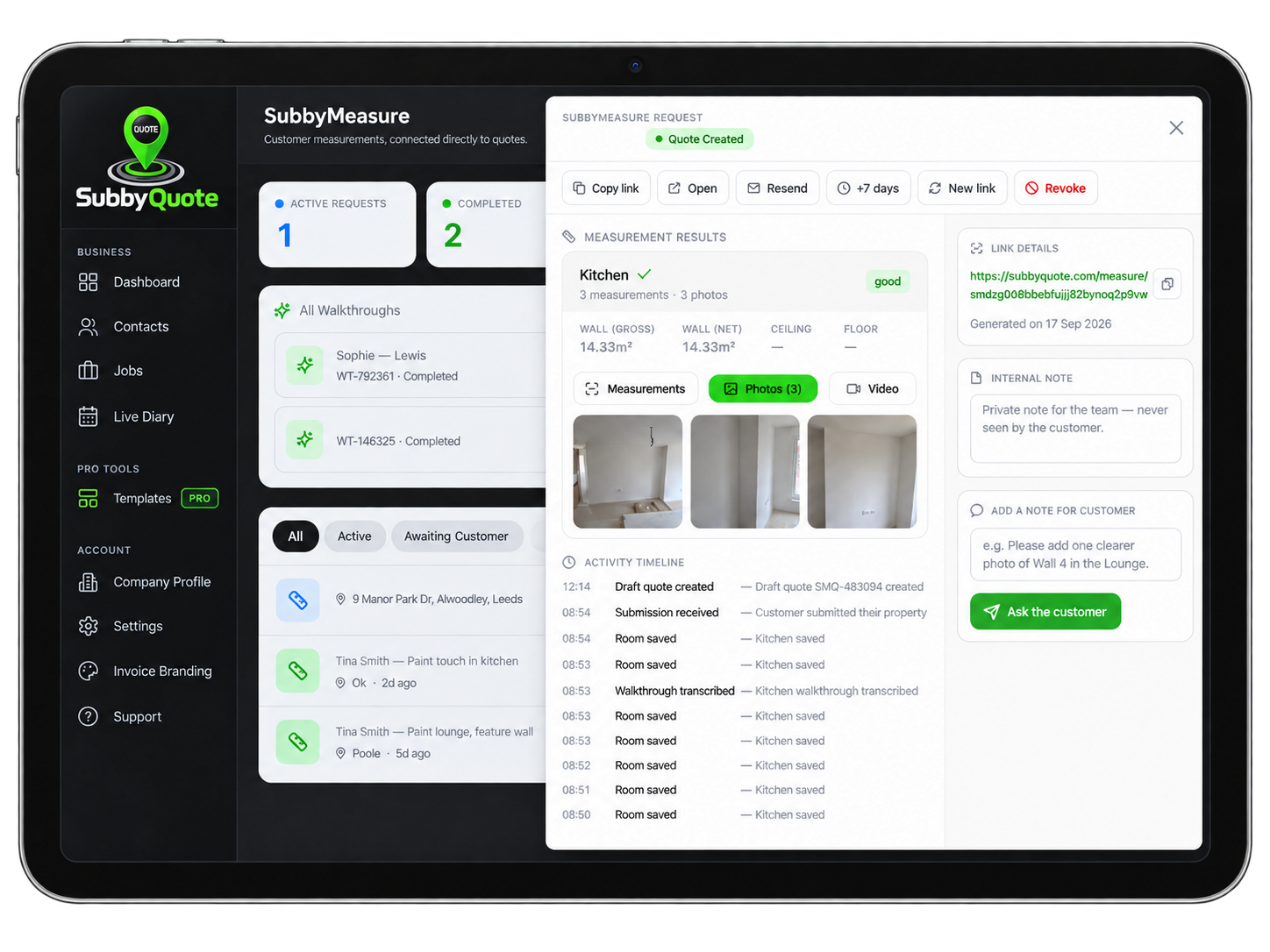
Submitted via SubbyMeasure · No site visit required
Stop losing hours just going to look at jobs.
A customer asks for a quote. Normally that can mean arranging a time, driving across town, measuring the job, taking photos and driving back — before you've earned anything.
SubbyMeasure changes that. Send one secure link and let the customer collect the information you need before you decide whether a site visit is even necessary.
Save travelling time
Reduce unnecessary journeys just to collect basic measurements and photos.
Quote sooner
Get useful job information back while you're working elsewhere.
See more before you visit
Review dimensions, photos, video and customer notes before committing time to the job.
How it flows
You send one link. Your customer sends back a complete, quotable job.
No site visit to measure, no back-and-forth phone calls. One secure link does the heavy lifting — and the SubbyQuote Assistant keeps your customer moving the whole way.
You send one link
Generate a secure SubbyMeasure link from your SubbyQuote dashboard and send it by text, WhatsApp or email. It's tied to the customer's job, so everything routes straight back to you.
They send back everything
Following the Assistant's voice guidance, the customer measures and records each room. It all returns to the customer's job inside SubbyQuote, ready to quote.
Guided measuring made simple.
SubbyMeasure is designed to guide everyday customers through measuring a room without making the process feel technical.
Room-by-room workflow
Living room, kitchen, bedroom, hallway, bathroom or any custom room name.
Measure in their units
Customers pick cm, inch or metre. SubbyMeasure shows the conversion into the other units automatically.
Voice-to-job-notes
Record a short walkthrough and the AI turns their voice into structured job notes they can check and edit.
60-second video walkthroughs
Up to three clips per room so the customer can show and describe the work that needs doing.
Photo evidence
See the actual condition of the area you're pricing.
No app or account
Customers open the link on their phone and follow the steps. Nothing to install.
Step 3 of 5 · Living Room
Measure wall width
Type the distance your tape shows.
Also
342 cm · 134.6 in
The SubbyQuote Assistant
talks your customer through it.
A friendly AI voice guides every room, every wall. Customers don't need to know how it works — they just follow along. No technical setup, no re-measuring, no awkward calls.
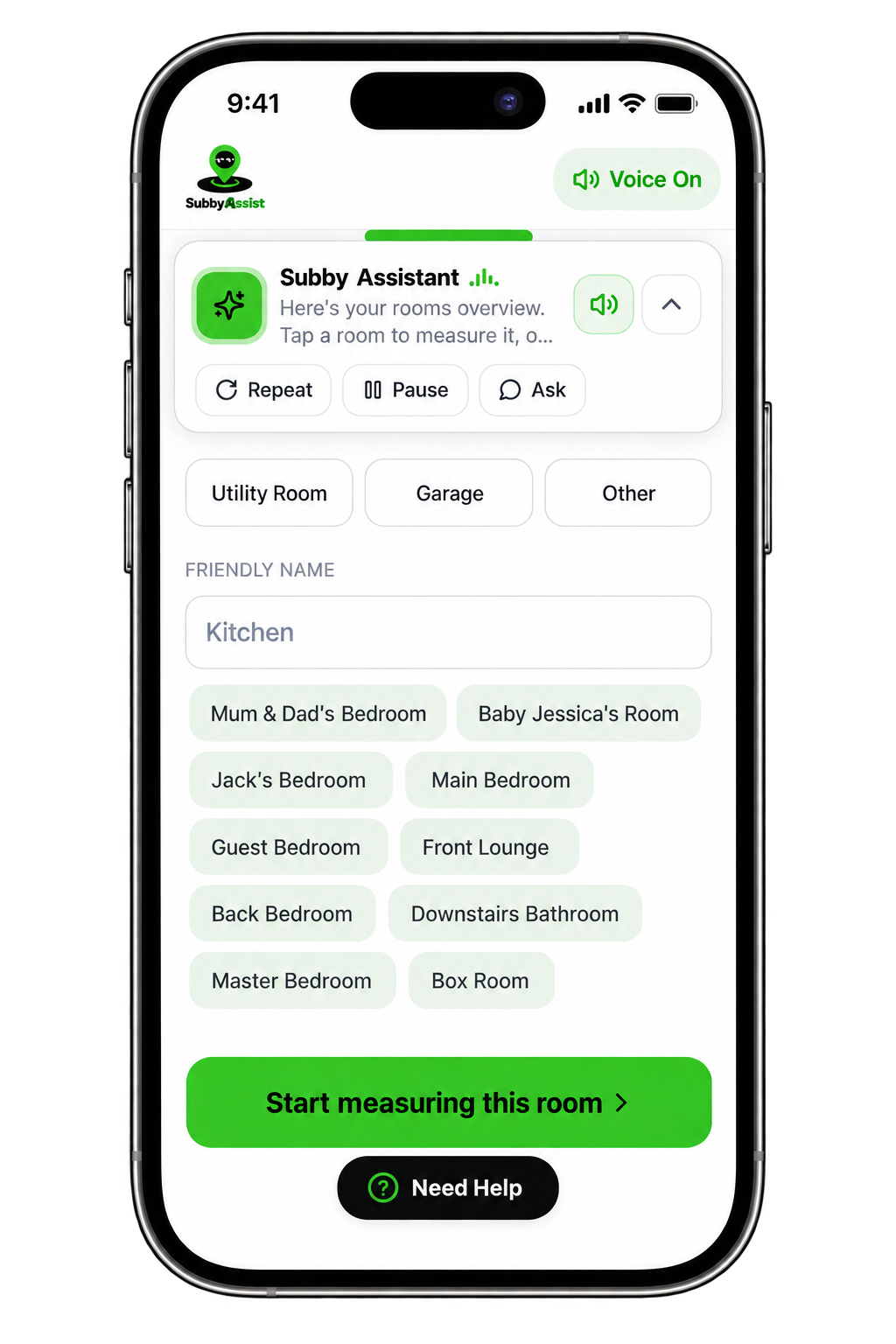
Talks them through it
The Assistant speaks each step out loud — "now point at the next corner" — so there's nothing to read or guess.
Voice on, hands free
Customers keep their phone in one hand and their tape in the other. The Assistant keeps the conversation going.
Ask anything, anytime
Stuck on a wall? Tap Ask and the Assistant repeats, rephrases or skips — no starting over.
Repeat & pause
Missed an instruction? One tap replays it. Need to answer the door? Pause and pick up exactly where they left off.
Names rooms like a person would
Not another inbox full of random photos.
SubbyMeasure submissions connect directly with the existing customer and job inside SubbyQuote.
Margaret Thompson
Oxford
SubbyMeasure
Status: Completed ✓Measurements, photos, videos and customer notes stay together — ready for you to review and quote.
Your van doesn't need to visit every quote.
If SubbyMeasure saves just one unnecessary quoting journey, it's already saving you time, fuel and lost working hours.
LESS
Unpaid travelling
FASTER
Quote turnaround
MORE
Job information upfront
BETTER
Use of your working day
One measuring tool. Multiple trades.
Painters & Decorators
Walls, ceilings and rooms.
Plasterers
Walls, ceilings and damaged areas.
Flooring & Tiling
Floor and wall dimensions.
Carpenters
Rooms, walls and installation areas.
Property Maintenance
Capture the job before attending.
Other Trades
Create a remote job record before deciding what happens next.
SubbyMeasure does not completely replace professional surveying or specialist measurements where they are required.
Easy for your customer too.
Customers don't need to be technical. They open the link on their phone and follow a clear, guided flow. No account. No software to install.
No account. No complicated software. Just follow the steps.
SubbyMeasure
Hi Margaret 👋
Adam Plastering has asked you to provide some information about your job.
Measuring is only the beginning.
SubbyMeasure isn't a standalone tool — it forms part of the full SubbyQuote workflow.
Spend less time chasing quotes.
Spend more time doing the work.
Let customers show you the job before you drive there. Capture the measurements, photos and information you need and keep everything connected inside SubbyQuote.
SubbyMeasure is available with eligible SubbyQuote plans.

Support
© 2026 SubbyQuote. All rights reserved.
SUBBYHQ LTD (Company No. 17321747)
Registered in England and Wales.
Admin Hub LoginWe value your privacy
SubbyQuote uses cookies to improve your experience, keep the platform secure, analyse website traffic and remember your preferences.
You can accept all cookies or manage your choices at any time.
We use cookies to improve your experience. Accept all or manage your choices.